Category: Design & Artwork

  • Can You Print Inside a Coffee Cup, on the Base or Under the Rim?

    Can You Print Inside a Coffee Cup, on the Base or Under the Rim?

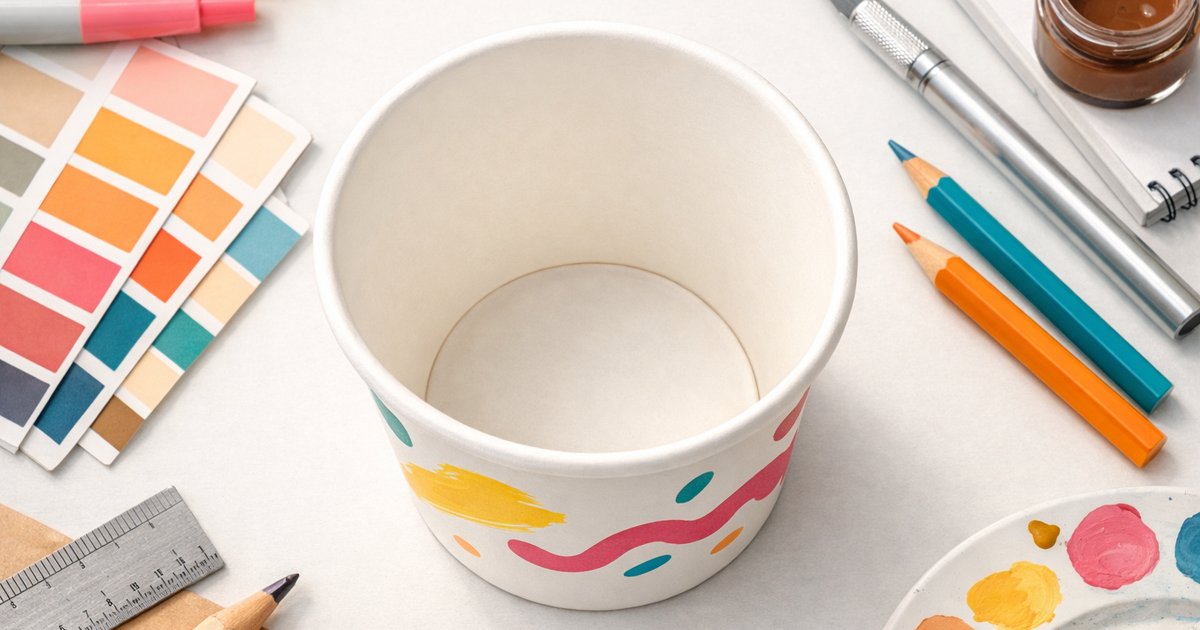
    Short answer: no, the inside of the cup is not printable, and the base and the rolled rim are not usable print areas either. Printing happens on the outer wall, before the cup is formed. That is a manufacturing constraint rather than a pricing decision, and once you understand why, there are some effective ways to get a similar result inside the printable area.

    Why the inside face stays blank

    Two reasons, and the first one is the one that matters.

    It is the food contact surface. The inner face is the side your drink touches. It carries the waterproof lining that makes the cup work, and keeping it free of applied inks is a basic food-packaging principle. Print goes on the outside precisely so it never contacts the beverage. There is more on this in food-safe inks on coffee cups.

    The process runs flat. Cups are printed as flat board and then cut, rolled and formed. The press prints one face. By the time there is an “inside”, the cup already exists as a three-dimensional object and the printing stage is long finished. You can see the full sequence in how coffee cup printing works.

    The base of the cup

    The base is a separate disc of board, crimped and sealed into the bottom of the cup wall during forming. It is not part of the printed blank, and the sealing process puts the edge of that disc under mechanical and thermal stress.

    So a printed base is not a normal option. Customers occasionally ask about a message on the bottom of the cup, the “you’ve finished your coffee” idea. It is a nice thought and it is not something the standard process delivers.

    The rim

    The top edge of a cup is rolled outward into a curl. That curl is what gives the cup its rigidity and what a lid clips onto, so it is functionally critical.

    Two consequences for artwork:

    • The rolled area consumes board that was flat when it was printed, so any artwork in that zone disappears into the curl.
    • Registration near the very top edge is the least predictable part of the cup, because forming tolerances stack up there.

    This is why every cup template has a safe zone at the top. Artwork that must be read should sit clear of it. Our guide to bleed, safe zones and wrap covers the measurements.

    What about the seam?

    The cup wall is a single printed blank wrapped into a cone, so there is a vertical overlap seam where one edge sits over the other. A small part of your design is hidden underneath and the join is visible on close inspection.

    Practical rule: do not place a logo, a QR code or any critical text across the seam. Treat the wrap as having a start and an end rather than being a truly continuous 360 degree canvas. Repeating patterns handle the seam best.

    How to get the effect anyway

    Most requests for inside printing are really requests for one of these, and all of them are achievable:

    • A surprise on the lower outer wall. The bottom of the outer wall is visible when the cup is tilted up to drink. It is the closest thing to a hidden message and it prints normally.
    • A dark or coloured interior look. Rather than printing, this is a question of stock. Ask us what inner-face options exist for the size and lining you want, because availability changes.
    • A scannable link. A QR code on the outer wall does everything an interior message would, and it is measurable. See QR codes on coffee cups.
    • Full wrap coverage. Full colour printing across the entire outer wall is included at no extra cost, so use the area you do have properly. See full colour vs single colour printing.

    Quick reference

    Area Printable? Why
    Outer wall Yes, full colour The printed blank. This is your canvas.
    Inner face No Food contact surface, and printing happens before forming.
    Base disc No Separate component, crimped and heat-sealed during forming.
    Rolled rim No Board is curled to form the lip and lid seat.
    Seam overlap Partly hidden Wall wraps and overlaps itself. Keep key elements clear.

    Where to go from here

    Download our templates and design within the printable area from the start, which is much easier than redrawing later. Start with how to design artwork for custom coffee cups, then check common artwork mistakes before you send files. If you are unsure whether an idea will survive the wrap, send it to us and we will tell you before you commit.
  • How to Design Artwork for Custom Coffee Cups (Templates Included)

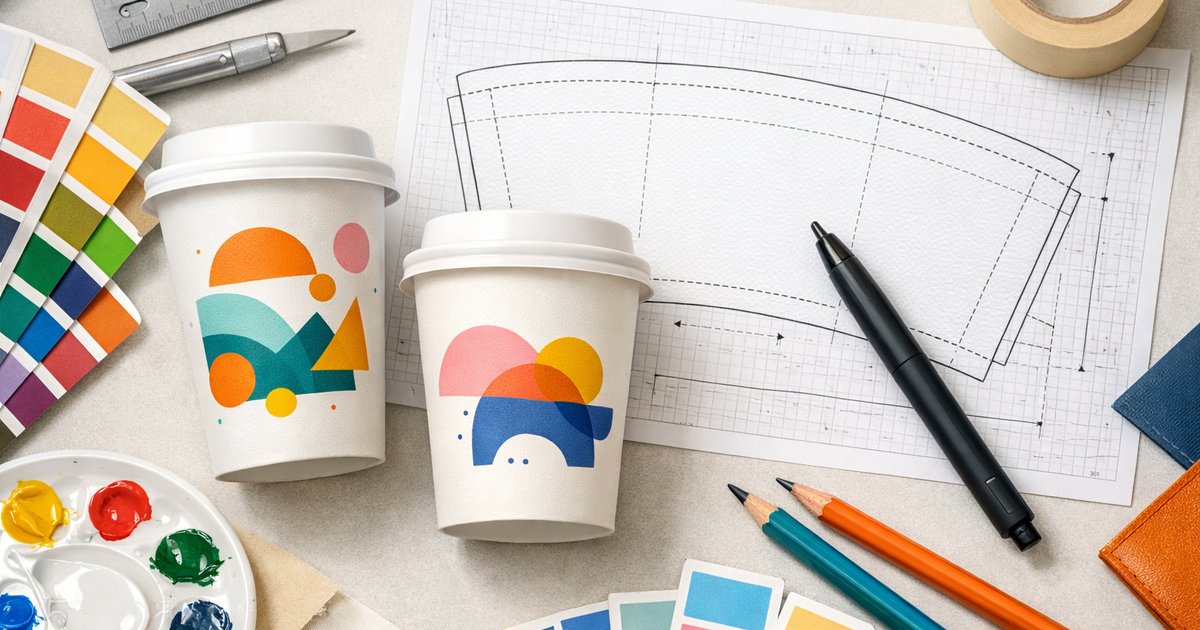
    How to Design Artwork for Custom Coffee Cups (Templates Included)

    How to design artwork for custom coffee cups (templates included)

    Short answer: To design artwork for custom coffee cups, download our free AI/PSD templates, place your graphics inside the template’s wrap‑around print area, include bleed and safe zones, design in CMYK, use raster images at a minimum of 300dpi, and export print‑ready files (AI with Preserve Editing, layered PSD, press PDF or high‑res PNG/JPG). Request a free digital proof or order a sample pack to check colours and stock.

    Quick checklist — design artwork for custom coffee cups

    • Download the correct template for your cup size and type: AI & PSD templates.
    • Work in CMYK and keep photos/textures at 300dpi or higher at final size.
    • Respect the template’s wrap‑around print area, bleed and safe zone.
    • Use vector artwork for logos and text; embed or outline fonts.
    • Save source files (AI with Preserve Editing, layered PSD) and export a high‑res PDF for print.

    Where to get the templates

    Download our free artwork templates for 8oz, 12oz and 16oz cups (AI & PSD): download templates. Templates include dielines and guides for single‑wall, double‑wall and compostable cup styles — choose the template that matches the cup type you plan to order.

    How the template is organised

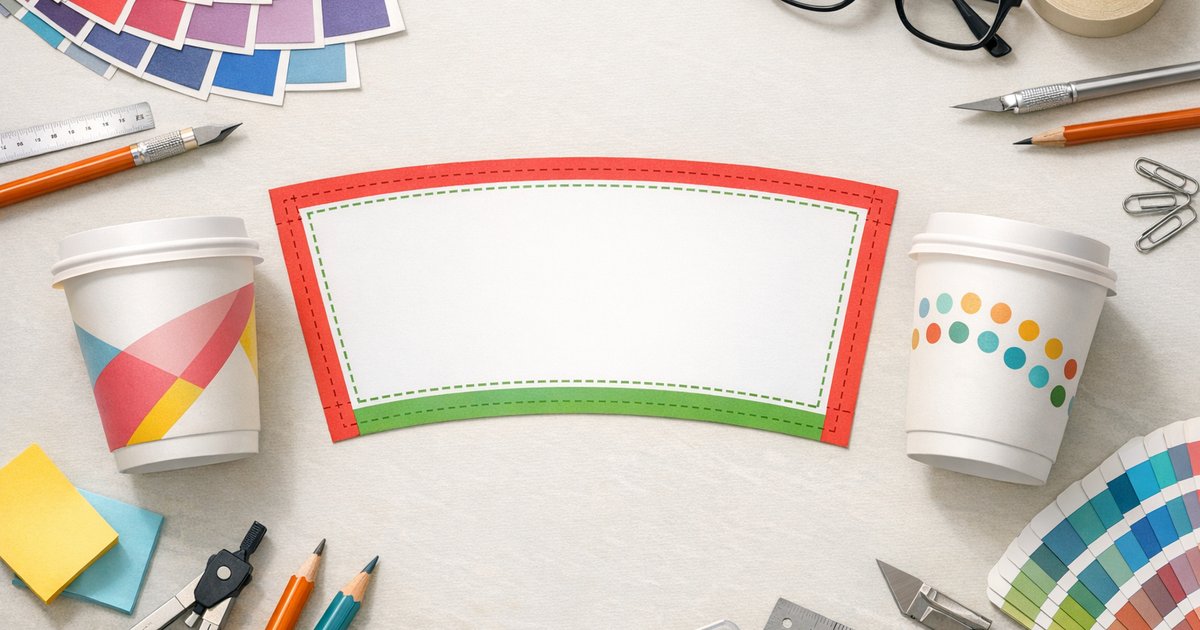
    Each template shows three key zones. Know these before you design so your artwork prints as expected:

    Wrap‑around print area

    The full width and height that prints around the cup. For continuous designs, extend your main graphics across this area so patterns join neatly at the seam.

    Bleed zones

    Extend backgrounds and imagery into the bleed area to avoid white edges after trimming. Templates include the exact bleed guides — don’t crop to the trim line.

    Safe zone

    Keep logos, essential text and critical elements inside the safe zone (inset from the trim/cut line). Anything outside may be trimmed, distorted around the seam or hidden by the cup rim.

    Colour, brand colours and CMYK

    We print using CMYK process printing — prepare and export files in CMYK to get the most accurate results. Convert RGB to CMYK early and proof colours on screen and in printed samples. Note: very bright RGB colours may not reproduce exactly with CMYK; if you need precise brand matches, tell us early so we can discuss options.

    Resolution and artwork quality

    Raster images (photos, textures) must be at least 300dpi at final print size. Vector elements (logos, icons, type) scale cleanly — provide EPS/AI/SVG where possible. Avoid scaling up low‑resolution images.

    Accepted file formats and saving tips

    • AI (Adobe Illustrator) — Preferred for vector files. Save with Preserve Illustrator Editing Capabilities and include linked images.
    • PSD (Photoshop) — Keep layers; rasterise text only after layout is approved.
    • PDF — Export as high‑resolution / press quality with fonts embedded.
    • PNG/JPG — Acceptable if high‑res (300dpi at final size). PNG supports transparency; JPG suits photographic designs.

    Name files clearly (e.g. ClientName_12oz_doublewall_AI_v1.ai) and include version numbers. If you supply fonts, either embed them or convert text to outlines — but also keep an editable source file in case we need to make small adjustments.

    Export checklist before upload

    • Artwork placed on the correct template for cup size and type.
    • Backgrounds and images extended into the bleed.
    • Main content inside the safe zone; nothing critical near the seam or lip.
    • All images 300dpi or above at final size.
    • All colours converted to CMYK.
    • Fonts embedded or outlined (or include font files in a ZIP).
    • File saved in recommended format (AI with Preserve Editing, layered PSD, press PDF or high‑res PNG/JPG).

    Common design pitfalls and how to avoid them

    • Small text on curved areas — increase size and weight and keep it inside the safe zone.
    • Using web‑resolution logos — request vector files (EPS/AI/SVG) or recreate as vectors.
    • Designs too close to the seam or rim — follow the template safe zone strictly.
    • Designing in RGB — always convert and proof in CMYK before submitting files.

    Need help? Design layout service

    If you only have a logo or a simple brief, use our design layout service — our team will place your artwork into the correct template and supply print‑ready files. Start an order or ask about design help on the product page: custom printed coffee cups. Upload your assets with the order and we’ll prepare a layout for your approval.

    Production details — what to plan for

    Keep these production details in mind when you design and order — they affect timing, cost and template choice.

    Minimum order 500 cups
    Cup types Single‑wall (PE), Double‑wall (PE) and Compostable (PLA/CPLA)
    Sizes 8oz, 12oz, 16oz (16oz is single‑wall only)
    Standard turnaround 10 business days production + 2–3 days metro freight
    Rush option 5–7 business days
    Complimentary services free templates available

    Proofing and samples

    We provide a digital print proof for approval before production. To check colours, stock and finish in real life you can order a printed sample or request our sample pack: order a sample pack. For full ordering details and material guidance, see our buyer’s guide: Custom printed coffee cups — Australia guide.

    Final tips for better results

    1. Design with the cup shape in mind — vertical elements curve around the cup; test on the template before finalising.
    2. Keep essential information inside a flat panel area if you need it to be clearly legible.
    3. Test colours in CMYK and allow for slight variation depending on stock and printing process.
    4. Use our free templates if you’re unsure — they save time and avoid common mistakes.

    Ready to design artwork for custom coffee cups? Download the free templates (template download), place an order and request a design layout on the product page: custom printed coffee cups. Prefer to check finishes first? Order a sample pack: sample pack.

    Need help with your files? Our pre‑press team will check supplied artwork and contact you if any changes are needed before printing — upload your files when you place your order or contact us via the product page.

  • Can You Print Photos on Paper Coffee Cups?

    Can You Print Photos on Paper Coffee Cups?

    Can You Print Photos on Paper Coffee Cups?

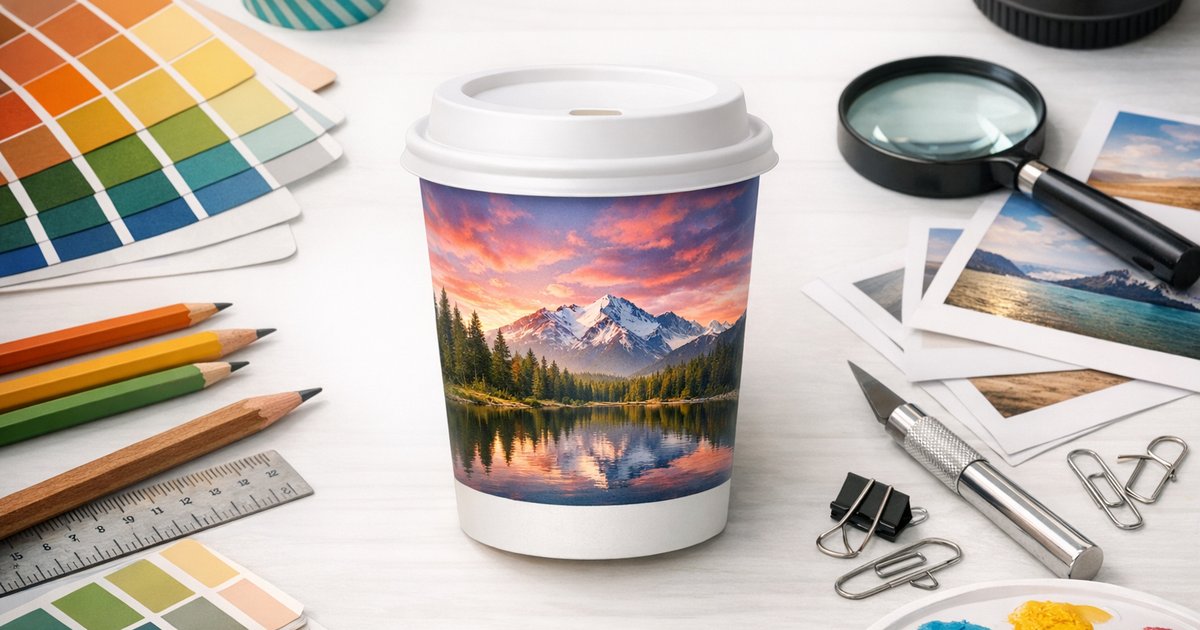
    Yes — you can print photos on paper coffee cups. We reproduce photographic images in full‑colour CMYK on single‑wall, double‑wall and compostable paper cups. For crisp results, supply images at 300dpi at final print size, allow for the wrap area and seam, and note our minimum order is 500 cups.

    How we print photos on paper coffee cups

    We print full‑colour CMYK onto paperboard cups lined with PE or PLA/CPLA depending on the cup type. Paperboard has a satin/matte surface so photos will look slightly softer than on glossy photo paper, but with correct files you’ll get faithful, high‑impact imagery perfect for cafes, events, tourism and retail.

    Cup types and how photos reproduce

    • Single‑wall (PE) — strong colour vibrancy and good sharpness. Available in 8oz, 12oz and 16oz.
    • Double‑wall (PE) — similar colour with a slightly different texture because of the thicker board (8oz, 12oz).
    • Compostable (PLA/CPLA) — eco‑friendly option; colours may be marginally less saturated but still excellent for photographic imagery.

    File requirements — aim for 300dpi at print size

    Resolution is the most common cause of poor print results. Provide your image at 300dpi at the final wrap size. We supply AI and PSD templates with bleed and safe zones so you can position photos precisely. Export a high‑quality TIFF, PSD or maximum‑quality JPEG where possible; include the original RAW or DSLR file if available.

    Practical pixel examples

    • Typical wrap ≈ 215mm × 90mm → ~2550 × 1050 pixels at 300dpi (use our templates for exact sizes).
    • If you scale an image in the layout, re‑check it still meets 300dpi at the scaled size.

    If you’re unsure, upload your image and our artwork team will check resolution, convert colours to CMYK and prepare a print‑ready layout.

    How photos look on cups vs glossy photo paper

    • Matte/satin finish: Highlights won’t be shiny — expect a softer, more tactile look.
    • Contrast & depth: Blacks and deep shadows can be slightly less punchy; a small contrast boost often helps.
    • Fine detail: Very thin lines or tiny text may soften because ink absorbs into the board.

    These are normal characteristics and don’t prevent bold, memorable imagery — portraits, landscapes, food and product photos reproduce well when files are prepared correctly.

    Best photos to use on cups

    • High‑resolution originals: Recent smartphone photos exported at full size or DSLR/mirrorless files work best.
    • Simple composition: Single subjects or clear focal points read well on a small, curved surface.
    • Avoid very dark images: Brighten midtones and lift shadows so detail isn’t lost.
    • Panoramas & landscapes: Great for tourism cups and wraps — allow for slight curvature at the cup edges.

    Wrap and layout considerations

    • Seam area: Avoid placing faces or key details across the seam or overlap.
    • Bleed & safe zone: Use our templates to include bleed and keep important elements inside safe areas.
    • Text over photos: Add an overlay, band or subtle shadow so text remains readable.
    • Check lines & horizons: Curvature can affect straight lines — always preview the wrap.

    Who benefits from photo‑printed cups?

    Photo‑printed cups are ideal for Australian businesses and events that want memorable takeaway items. Typical uses include:

    • Tourism operators: Scenic landmarks and landscape photography make striking souvenirs for visitors.
    • Events & weddings: Couple photos, event imagery or sponsor graphics create keepsakes.
    • Cafés & food businesses: Ingredient or plated food shots reinforce your brand and menu highlights.
    • Property marketing & local promotions: Listing photos or community imagery are useful at open homes and markets.

    Ordering and production details (Australia)

    Key production facts to plan your order:

    Minimum order 500 cups
    Cup sizes 8oz, 12oz, 16oz (16oz single‑wall only)
    Cup types Single‑wall (PE), Double‑wall (PE), Compostable (PLA/CPLA)
    Printing Full‑colour CMYK
    Turnaround (standard) 10 business days production + 2–3 business days metro freight
    Rush option 5–7 business days production
    Samples & design Sample pack, free artwork templates

    For current prices, see the printed coffee cups page.

    Freight charged at cost (typically $30–$150 depending on destination and quantity within Australia). If you need lids, order in multiples of 1,000.

    Artwork support — we’ll prepare your photo for print

    We provide AI & PSD templates (with bleed and safe zones) and a design layout service. Upload your photo and logo and our artwork team will prepare a print‑ready file, convert colours to CMYK if required and check resolution. Want to preview results? Request a sample pack.

    Quick checklist before you upload

    1. Place your image at 300dpi in the supplied template at the correct wrap size.
    2. Use TIFF, PSD or high quality JPEG and keep an original copy for edits.
    3. Avoid placing faces or key details across the seam; keep content inside safe zones.
    4. Brighten midtones and lift shadows for very dark photos to preserve detail.
    5. Use overlays or bands so text remains legible over photos.
    6. Upload your files and request our layout check for peace of mind.

    Ready to print photos on paper coffee cups?

    Photo print coffee cups are a memorable way to promote tourism, events, hospitality and products across Australia. We handle full‑colour CMYK printing, layout checks and samples — with a minimum order of 500 cups.

    Ready to get started? Order custom printed coffee cups or request a sample pack to see print quality. For more detail, read our complete buyer’s guide to custom printed coffee cups in Australia or contact our team for a tailored proof and rush pricing.

    Note: This page explains how to print photos on paper coffee cups and gives guidance to achieve the best results. If you have special requirements or need a faster turnaround, contact us and we’ll advise on feasibility, costs and lead times.

  • Common Coffee Cup Artwork Mistakes (And How to Avoid Them)

    Common Coffee Cup Artwork Mistakes (And How to Avoid Them)

    Answer: The most common coffee cup artwork mistakes are supplying RGB files instead of CMYK, using low‑resolution images, placing text or logos too close to the trim or seam, and forgetting bleed and the cup curve. These issues cause colour shifts, blurry graphics or cut‑off logos. Fix them up front — we review every file and provide free templates, a design layout service, digital proofs and a sample pack to help your custom printed coffee cups print correctly first time.

    Why artwork matters for cup printing

    Custom printed coffee cups are printed in full‑colour CMYK and wrap around a curved surface, so small artwork errors become very visible in the hand. As specialists in custom printed coffee cups, we check every file, provide templates and can correct minor issues — but getting artwork right up front is faster, cheaper and avoids reprints.

    Top 10 coffee cup artwork mistakes (and how to avoid them)

    1. RGB instead of CMYK

      Problem: RGB colours often shift when converted to CMYK, so printed colours won’t match what you see on screen.

      Fix: Supply artwork in CMYK. If you only have RGB files, convert them in Illustrator or Photoshop and compare against a printed proof or our sample pack.

    2. Low resolution (under 300dpi)

      Problem: Raster images below 300dpi look pixelated or soft on print.

      Fix: Provide images at 300dpi at the final print size. Supply vector files (AI, EPS, PDF) for logos and type where possible.

    3. Text and logos too close to edges

      Problem: Important type close to the trim, top/bottom or seam may be trimmed or lost in the cup curve.

      Fix: Keep text and logos inside the safe zone — we recommend at least 6–8mm from trim and edges. Use our templates for exact measurements.

    4. Design elements over the seam

      Problem: The vertical seam can distort or partially hide elements placed over it.

      Fix: Treat the seam as a no‑go zone for logos, small text and fine detail. Position artwork away from the seam using our template.

    5. No bleed included

      Problem: Missing bleed can result in white slivers or uneven edges after trimming.

      Fix: Add 3–5mm bleed around all sides and extend backgrounds/patterns into the bleed area.

    6. Designing on a flat rectangle instead of a cup template

      Problem: Flat files don’t show curvature, seam location or safe zones, so elements can be misplaced on the finished cup.

      Fix: Always use our AI/PSD cup templates — they include trim, seam and safe‑zone guides and a mock‑up so you can preview the wrap on the cup.

    7. Text too small (under 6pt)

      Problem: Small type can be unreadable, especially on textured coatings or from a distance.

      Fix: Use a minimum of 6pt for body text and larger sizes or bolder weights for important details.

    8. Ignoring the cup curve

      Problem: Long horizontal elements can look skewed or stretched once wrapped.

      Fix: Use the cup mock‑up in our template and avoid extremely long single‑line graphics. We can create a digital mock‑up on request.

    9. Too many elements / cluttered design

      Problem: Busy designs don’t read well on a small canvas like a cup.

      Fix: Simplify: aim for 1–2 focal elements, clear visual hierarchy and breathing space. Minimal, on‑brand designs perform best at point of sale.

    10. Skipping a proof

      Problem: Without a proof you risk colour surprises, layout issues and costly reprints.

      Fix: Always request a proof. We provide digital proofs as standard and offer a physical sample pack so you can check material, print quality and colours before committing — order a sample pack.

    Quick artwork specs checklist

    • Colour mode: CMYK
    • Raster resolution: 300dpi at final size
    • Preferred file types: AI, EPS, PDF (vectors) or high‑res PSD/TIFF
    • Bleed: 3–5mm
    • Safe zone: 6–8mm from trim/seam
    • Minimum text size: 6pt+

    How we help prevent these coffee cup artwork mistakes

    At CustomCoffeeCups.com.au we review every file before printing and flag common coffee cup artwork mistakes. Our standard services include:

    • Free artwork templates (AI & PSD)
    • Digital pre‑print proofs (included)
    • Full‑colour CMYK printing and colour advice

    Ordering essentials

    • Minimum order: 500 cups
    • Cup types: Single‑wall (PE), Double‑wall (PE) and Compostable (PLA/CPLA)
    • Sizes: 8oz, 12oz and 16oz (16oz available single‑wall only)
    • Standard production: 10 business days plus 2–3 days metropolitan freight
    • Rush production: 5–7 business days
    • Free: templates

    For current prices, see the printed coffee cups page.

    Final tips

    • Use our complete buyer’s guide for help choosing cup types and sizes.
    • Supply vector logos, include bleed and request a proof — it’s cheaper than a reprint.
    • Keep designs simple and test on a sample cup to confirm legibility and colour.

    Need help checking your artwork? Upload your files and we’ll review them for colour, bleed, seam placement and readability before you commit. For a hands‑on check, order a sample pack or view our range on the printed coffee cups product page.

    Call to action: Ready to avoid common coffee cup artwork mistakes? Order a sample pack or start a custom order today — we’ll provide templates, a pre‑print proof and expert advice so your cups look great in the hands of your customers.

    Related guides

  • How to Make Your Brand Colours Pop on a Paper Cup

    How to Make Your Brand Colours Pop on a Paper Cup

    How to Make Your Brand Colours Pop on a Paper Cup

    Short answer: Yes — you can make your brand colours on a paper cup look vibrant and consistent. Key steps: choose a white base or double-wall substrate, boost saturation and use dense CMYK fills for large areas, and always request a physical proof or our sample pack before full production. Minimum order is 500 cups.

    Why paper changes colour (and what to do about it)

    Uncoated and compostable papers absorb ink, so colours frequently appear softer, less saturated or slightly darker than on-screen. The cup substrate and any coatings change how light reflects and how ink lays down—understanding these limits helps you design for real-world colour, not just monitor colour.

    Quick trade-offs to remember

    • Boosting saturation increases perceived vibrancy but can raise ink coverage and drying time.
    • Large full-wrap solids use more ink and can make the cup look darker overall.
    • Fine detail and very thin type can blur on absorbent stock — simplify or weight up small elements.

    Practical tips to make your brand colours on a paper cup pop

    Use the following printer-friendly techniques for consistent, vibrant results across single-wall, double-wall and compostable cups.

    1. Boost saturation and use dense fills

    Slightly increase saturation to compensate for ink absorption. For large areas, use single dense CMYK mixes rather than screened tints to keep colour even. Avoid pale tints across big panels — they often look washed out on paper.

    2. Choose the right cup substrate

    A white cup base reproduces colours truest. Colours printed on white single-wall or double-wall cups match physical proofs more closely than those printed on kraft or unbleached stock. If exact colour fidelity matters, choose a white double-wall option where available.

    3. Prefer smoother surfaces for crisper colour

    Double-wall cups typically have a smoother outer surface than some single-wall options, which helps edges stay crisp and colours look more consistent. For best results see our Custom printed coffee cups product page for details.

    4. Use contrast and bold accents

    High contrast improves legibility and perceived vibrancy — dark type on light backgrounds or vice versa. If your brand palette includes mid-tones or pastels, add high-contrast bands, borders or accent colours so key elements pop on the cup.

    5. Pick colours that reproduce well

    Deep blues, rich reds and saturated greens generally reproduce better than delicate pastels. For pale brand colours, choose slightly richer or complementary variations so they read clearly on-cup without losing the brand feel.

    6. Design for print resilience

    • Avoid ultra-fine hairlines and tiny type; use heavier weights for small text and logos.
    • Set large solids as rich blacks or dense CMYK mixes (example rich black for solids: C60 M40 Y40 K100).
    • Convert files to CMYK and avoid relying on RGB or unnamed spot colours.

    7. Prepare correct files and request proofs

    We print in full-colour CMYK. Use our artwork templates (AI & PSD) and upload a print-ready PDF. For critical brand matches, order a sample pack and request a physical colour proof before production.

    Full-wrap vs logo-on-white — which works best?

    Both approaches can look great; the choice comes down to brand impact, budget and sustainability priorities.

    Full-wrap

    • Bold, immersive brand presence.
    • Higher ink usage; full coverage can make overall colours appear darker.
    • Requires careful bleed and wrap registration in artwork.

    Logo-on-white

    • Cleaner edges and usually the truest colour reproduction.
    • More cost-effective and easier to proof for colour accuracy.
    • Ideal when exact brand colour matching is essential.

    Proofing, testing and avoiding surprises

    Follow these recommended steps to check how your brand colours on a paper cup will look in real life:

    1. Convert artwork to CMYK and upload a print-ready PDF using our templates.
    2. Order a sample pack to check colour, texture and legibility on the actual cup stock.
    3. Approve a physical colour proof or request saturation/contrast tweaks before production.

    Production details and lead times

    Plan your project with these Australian-focused details. Minimum order: 500 cups.

    Minimum order 500 cups
    Cup types Single-wall (PE), Double-wall (PE), Double-wall Compostable (PLA/CPLA)
    Sizes 8oz, 12oz, 16oz
    Printing Full-colour CMYK
    Standard turnaround 10 business days production + 2–3 days metro freight
    Rush option 5–7 business days production

    For current prices, see the printed coffee cups page.

    Freight charged at cost (varies by quantity and destination). We offer free artwork templates.

    Artwork help and services

    • Use our artwork templates (AI & PSD) to set bleeds and dielines correctly.
    • Take advantage of our design layout service — we’ll prepare print-ready files and a mock-up.
    • See our complete buyer’s guide for more on materials and finishes.

    Pre-press checklist

    • Artwork converted to CMYK and checked against our templates
    • Colours slightly boosted where needed to allow for paper absorption
    • Large solids set as rich, dense fills (avoid screened tints)
    • Readable type sizes and no ultra-fine hairlines
    • Physical sample or proof approved for critical brand matches

    Final thoughts

    With a few artwork adjustments and the right substrate, brand colours on a paper cup can look bright, clean and consistent. White bases and double-wall cups give the truest reproduction, and changes to saturation, contrast and solid fills deliver big visual improvements without large cost increases.

    Want to see your colours in real life? Order a sample pack or view our custom printed coffee cups to start a 500-cup run. We’ll help with templates, proofs and a print-ready layout so your cups look exactly as expected.

    Questions about materials, finishes or colour matching? Contact us via the product page and we’ll walk you through options and timelines.

    Related guides

  • Logo Placement on Coffee Cups: Best Practices for Maximum Impact

    Logo Placement on Coffee Cups: Best Practices for Maximum Impact

    Short answer: For maximum visibility, place your logo on the drinking side (opposite the seam), sized for clear legibility with generous white space. We recommend a centred front logo for classic visibility, a repeated logo wrap for high impressions, or a small mark paired with a full‑wrap pattern for a premium look.

    Why logo placement on coffee cups matters

    Thoughtful logo placement turns takeaway cups into mobile advertising. Correct placement increases recognition in cafés, at events and on social media — and prevents common production problems like seam distortion or illegible small type.

    Primary placement options

    Centred on the drinking side (classic)

    A centred logo on the drinking side (opposite the seam) is clean, readable and instantly recognisable when a cup is handed to a customer — ideal for cafés and daily takeaway service.

    Repeated around the cup (high impressions)

    Repeating a smaller version of your mark around the cup increases impressions as the cup turns in a crowd. Keep repeats small, evenly spaced and avoid adding extra text or elements that clutter the design.

    Small logo with full‑wrap pattern (premium)

    Use a subtle logo with a full‑wrap graphic or pattern for a boutique or premium feel. The wrap tells a story while the mark provides identity — great for retailers and limited‑edition runs.

    Secondary mark or social handle (selfie side)

    Reserve a small secondary mark, hashtag or social handle on the side that faces out when people hold the cup for photos. Ensure all text is legible at cup scale.

    Drinking side, seam and the “selfie side”

    • Drinking side (opposite the seam): Primary placement — people instinctively look toward the drinking hole.
    • Seam awareness: Avoid placing key artwork across the physical seam to prevent distortion or misregistration.
    • Selfie side: Use for a small call‑to‑action, hashtag or social handle to encourage shares.

    Size and scale: how big should your logo be?

    Aim for balance: readable from arm’s length without overpowering the cup. Use the drinking‑side logo as your primary size reference.

    Cup size Recommended logo width (approx.) Notes
    8oz 45–60 mm Classic cafés — keep the logo centred and clear
    12oz 55–75 mm Most common size — good balance of presence and elegance
    16oz (single‑wall only) 70–95 mm Large canvas — consider logo + tagline or a wrap

    Tip: If using percentages, aim for the logo width to be roughly 30–45% of the visible front area. For repeated logos, reduce each instance to around 30–50% of the primary logo size.

    Colour, contrast and legibility

    Good contrast is essential. Use dark marks on light cups or reversed white marks on dark cups. Avoid thin strokes, intricate detail or subtle gradients that may not reproduce reliably in print.

    • Dark on light: The most reliable and cost‑effective option.
    • Reversed white on dark: Works for bold marks — test fine details first.
    • Full‑colour (CMYK): Available across cup types — use our templates to check colours and safe margins.

    White space and layout principles

    White space improves legibility and perceived quality. Maintain at least 10–15 mm clearance around the logo on small cups and scale that clearance proportionally on larger sizes.

    Combining placements for maximum impressions

    When budget allows, combine placements for layered impact:

    • Main centred logo on the drinking side
    • Smaller repeat logos around the cup body
    • Secondary mark or hashtag on the selfie side

    Production realities — minimums and lead times

    Plan artwork and placements with these production facts in mind:

    • Minimum order: 500 cups.
    • Turnaround: Standard production 10 business days + 2–3 business days metro freight. Rush production 5–7 business days available.
    • Design support & samples: free templates (AI, EPS, PDF, PSD).

    Common mistakes to avoid

    • Placing the logo across the seam or too close to the lid edge.
    • Using tiny type or intricate details that don’t reproduce at cup scale.
    • Neglecting contrast — subtle colour differences can disappear in print.
    • Overcrowding the design — white space improves perceived quality.

    Examples by business type

    Cafés: Centre the logo on the drinking side for daily recognition and consistent branding.

    Events & festivals: Use repeated logos around the cup to boost impressions in crowds.

    Premium retailers: Choose a small logo with a full‑wrap pattern for a sophisticated, design‑led look.

    Need help with artwork or a proof?

    We provide artwork templates and a design layout service so you can test different logo placements before committing. Order a sample pack to check print quality, stock and colour in hand, or view our custom printed coffee cups to start a quote.

    Quick checklist before you submit artwork

    1. Confirm primary placement (drinking side) and any secondary placements.
    2. Choose logo sizes based on cup size using the table above.
    3. Provide high‑resolution vector artwork (AI, EPS or PDF preferred).
    4. Check contrast and simplify fine detail for small prints.
    5. Request a digital proof and order a sample pack if unsure.

    For a deeper overview of materials, finishes and ordering options, see our complete buyer’s guide. If you’d like us to mock up logo placement on coffee cups for your brand, request a quote for 500+ cups or order a sample pack. Our team will provide templates, a mock‑up and accurate lead times so you can choose the best logo placement for your needs.

    Ready to make your brand more visible? View our custom printed coffee cups to start a quote or get a sample pack today.

  • Bleed, Safe Zone & Wrap: Understanding Coffee Cup Print Templates

    Bleed, Safe Zone & Wrap: Understanding Coffee Cup Print Templates

    What is a coffee cup print template? A coffee cup print template is the flattened dieline (a curved trapezoid) used to layout artwork for a tapered takeaway cup. It shows the trim line, a recommended 3mm bleed, the safe zone for logos and text, and the seam/glue overlap so artwork wraps correctly when the cup is formed. Always use the supplier’s exact template for single‑wall, double‑wall or compostable cups, and order a sample pack to check alignment and colour before full production — minimum order is 500 cups.

    Why this template matters

    Using the correct coffee cup print template prevents trimmed or distorted artwork and shows where to keep logos clear of the seam and curved edges. Suppliers supply separate dielines for different cup types and sizes, so match the template to the cup you’re ordering.

    Template components — a quick guide

    • Trim line: finished edge where the panel is cut — nothing critical should sit outside this line.
    • Bleed: extra artwork beyond the trim (we recommend 3mm) to avoid white edges after trimming.
    • Safe zone: inner margin to keep logos and text clear of trimming and curvature.
    • Seam / glue overlap: a small overlap area (commonly 5–8mm) where panels join — avoid placing important artwork here.

    How to place artwork on the dieline

    Designs wrap 360° around a tapered cup. Think about how people hold and view a cup when placing marks:

    • Front (primary view): place the main logo centred on the front panel and away from the seam.
    • Sides: use repeating patterns or supporting graphics; avoid important text near the seam.
    • Back / seam: position the seam at the rear where possible so the front is uninterrupted.

    Vertical lines may look tilted after forming because the flat template compensates for taper — always request a physical sample if alignment or colour is critical.

    File setup: formats, colour and resolution

    Follow these production standards to avoid delays:

    • Supply artwork in CMYK — we print full‑colour CMYK.
    • Use vector formats (AI, PDF, EPS) for logos and text. For images use high‑res PSD or TIFF at 300 dpi.
    • Outline fonts or embed them; include any linked images at original resolution.
    • Include 3mm bleed and respect the template’s safe zone and seam overlap.

    We provide free AI and PSD templates and a design layout service — upload your logo and our team will place it into the correct dieline for you.

    Recommended margins (quick reference)

    Item Recommendation Why
    Bleed 3mm Prevents white edges when trimmed
    Safe zone (top/bottom) 5–10mm Protects text and logos from curvature or trimming
    Seam overlap 5–8mm Secure join; avoid placing key elements here

    Common problems and fixes

    White rim after trimming

    Cause: insufficient bleed or thin outlines close to the trim. Fix: extend backgrounds into the 3mm bleed and avoid thin high‑contrast lines near the trim line.

    Logo cut off or too close to the seam

    Cause: artwork placed in the seam overlap. Fix: move logos at least 10mm from the seam or request the seam be placed at the rear of the cup.

    Artwork looks distorted on the finished cup

    Cause: using the wrong flat template for the cup style or size. Fix: download the correct dieline for single‑wall, double‑wall or compostable cups and order a physical sample to check alignment.

    Where to download templates and get help

    Each cup model has its own dieline. Download free artwork templates (AI & PSD) and design guides from our custom printed coffee cups product page. If you’d rather, upload your logo and our design team will prepare a print‑ready layout.

    Read the full buyer’s guide for Australian businesses on custom printed coffee cups in Australia.

    Production details — what to plan for

    • Minimum order: 500 cups
    • Cup sizes: 8oz, 12oz, 16oz (16oz available as single‑wall only)
    • Cup types: Single‑wall (PE), Double‑wall (PE), Compostable (PLA/CPLA)
    • Printing: Full‑colour CMYK
    • Standard production: 10 business days + 2–3 days metro freight
    • Rush production: 5–7 business days
    • Lids: PS, fibre and CPLA options
    • Free: artwork templates

    For current prices, see the printed coffee cups page.

    Artwork checklist before you upload

    1. Download the correct cup template for your cup type and size from the product page.
    2. Set the document to CMYK and 300 dpi (or supply vector files).
    3. Include 3mm bleed and keep important elements inside the safe zone.
    4. Keep logos and critical text 5–10mm from top/bottom trim and 10mm from the seam.
    5. Leave the seam/glue area clear of critical artwork.
    6. Outline fonts or embed them and supply source files for complex artwork.
    7. Order a sample pack or printed proof to check fit and colour before production.

    Need help or want a mockup?

    If you’re unsure which template matches your cup, download templates from our product page, read the complete buyer’s guide on custom printed coffee cups in Australia, or order a sample pack to see your artwork on a real cup. Our design team offers a layout service so you can approve artwork before you place a 500‑cup order.

    Ready to get started? Visit the printed coffee cups product page for templates, pricing and quotes, or request a sample pack to check fit and colour before ordering.

    Related reading

  • CMYK vs RGB: Why Your Cup Colours Might Look Different

    CMYK vs RGB: Why Your Cup Colours Might Look Different

    CMYK vs RGB: Why Your Cup colours might look different

    Short answer: Screen colours (RGB) usually look brighter and more saturated than print because monitors emit light while printing uses inks (CMYK) with a smaller gamut. To avoid surprises with CMYK printing coffee cups, design in CMYK (or convert and proof), avoid neon tones and request a physical proof or sample before ordering.

    Why on‑screen colours and printed cup colours differ

    Monitors create colour by mixing red, green and blue light (RGB). Printing uses cyan, magenta, yellow and black inks (CMYK) on a physical substrate (paperboard, coatings and cup liner). Because print reflects light rather than emits it, very bright or fluorescent RGB colours (neons, electric blues, acid greens) will often shift, mute or change hue when printed on coffee cups.

    RGB vs CMYK — the quick technical difference

    RGB (screens)

    RGB is additive: colours are built from light. It’s the native mode for web and digital files and supports a wider gamut and more vivid hues than typical print processes.

    CMYK (print)

    CMYK is subtractive: inks overlap to absorb/reflect light and produce colour. Standard four‑colour process reproduces most everyday colours, but some saturated RGB tones can’t be matched exactly with the CMYK inks used for cup printing.

    Which colours shift most on cups?

    • Neon and fluorescent tones — effectively impossible to match with standard CMYK inks.
    • Electric blues — may look duller or shift toward teal/purple.
    • Vivid greens — can appear more yellow or darker.
    • Highly saturated reds — may lose vibrancy or warm slightly.

    How to prepare artwork for CMYK printing coffee cups

    Preparing files correctly reduces surprises and rework. Use this checklist when preparing artwork for CMYK printing coffee cups:

    • Work in CMYK from the start — set your document to CMYK in Illustrator, Photoshop or InDesign so on‑screen previews are closer to print.
    • Convert and review — if you start in RGB, convert to CMYK, inspect colours at 100% and tweak shifted hues.
    • Pantone/spot colours — use for critical brand matches and discuss Pantone matching with us if absolute accuracy is essential.
    • Avoid neons — choose CMYK‑friendly alternatives for predictable results.
    • File quality — images at 300 dpi and vector logos (AI/EPS/PDF/SVG) produce the cleanest print on a cup wrap.

    We convert files and provide proofing

    CustomCoffeeCups.com.au converts every incoming file to CMYK before production and offers digital and physical proofing so you can check for colour shifts on the actual cup substrate. Request a proof or order a sample pack early to save time and cost.

    Proofs, Pantone and colour control

    Proofing is the most reliable way to check colours before a full run:

    • Digital proofs — fast, but dependent on monitor calibration.
    • Hard (physical) proofs or sample cups — best: see ink on the actual cup stock and construction (single‑wall, double‑wall or compostable).
    • Pantone references — useful for brand matching; remember Pantone→CMYK conversion and substrate differences can still cause minor variation.

    Practical tips for predictable cup colour

    • Paperboard texture, internal coatings and cup curvature affect perceived colour — view a physical sample where possible.
    • Compostable stocks and double‑wall constructions can show slight colour differences compared with single‑wall PE cups.
    • Calibrate your monitor and review digital proofs on multiple devices to reduce surprises.
    • Allow time and budget for physical proofs or Pantone matching if you need exact brand accuracy.

    Minimums and lead times (Australia)

    For current prices, see the printed coffee cups page.

    Minimum order: 500 cups. Standard turnaround: 10 business days production + 2–3 business days metropolitan freight. Rush: 5–7 business days. Freight is charged at cost and varies by destination and quantity.

    Files and design help we provide

    We make colour setup easier with:

    • Free artwork templates (AI & PSD) for correct cup wrap layout.
    • Sample pack — order a sample to see stock and print quality in person: sample pack.

    Artwork checklist before you submit

    • Set document to CMYK or convert and review carefully.
    • Use 300 dpi images and vector logos where possible.
    • Avoid neon colours; select CMYK‑safe alternatives.
    • Consider Pantone spot colour for absolute brand accuracy.
    • Request a physical proof or sample prior to full production.

    Summary — minimise surprises with CMYK printing coffee cups

    Colours printed on a cup often look different to on‑screen colours because RGB offers a wider, brighter gamut. For consistent results with CMYK printing coffee cups, design in CMYK (or convert and proof), avoid neons, consider Pantone for critical brand colours and request a physical proof or sample. We convert all files to CMYK before printing and provide free templates to make the process straightforward.

    If you’d like to see your brand on a cup, order a sample pack or visit our custom printed coffee cups product page to upload artwork and request a proof. For a deeper overview of cup types, sustainability and workflows, read our complete buyer’s guide.

    Ready to proceed? Head to the product page to upload artwork and request a proof, or contact us to use our design layout service and get a realistic preview before production.

    Related guides

  • Coffee Cup Design Ideas: 15 Examples That Stand Out

    Coffee Cup Design Ideas: 15 Examples That Stand Out

    Coffee Cup Design Ideas: 15 Examples That Stand Out

    Need memorable takeaway cups? Here are 15 practical coffee cup design ideas you can use today to make your café, roastery or event more recognisable — plus Australian production notes, pricing and how to get a sample or mock-up (minimum order 500 cups).

    Request a sample pack to feel the materials and get a print-ready mock-up, or jump straight to our custom printed coffee cups page to upload artwork and place an order.

    Why great coffee cup design matters

    Well-designed cups increase perceived quality, encourage social sharing and act as low-cost, mobile advertising. Use these coffee cup design ideas to pick a direction that suits your brand, location (Melbourne, Sydney, Brisbane, Perth or regional Australia) and customers.

    15 coffee cup design ideas (what they are and why they work)

    Below are concise concepts you can adapt to your brand colours, fonts and tone of voice.

    1. Minimalist: logo + solid colour

    Full-colour wrap in a single bold hue with a centred logo in white or black. Clean, premium and instantly recognisable — great for speciality cafés and corporate outlets.

    2. Inverted minimalist: colour block base + white top

    Two-tone split with a small logo near the rim. Highlights the drinking area and photographs consistently on phones.

    3. Bold geometric patterns

    Repeating shapes (triangles, chevrons, concentric circles) in high-contrast tones. Energetic and eye-catching for festivals, markets and busy cafés.

    4. Tropical or botanical repeats

    Layered palms, leaves or florals in muted or vibrant greens. Works well for beachside cafés, seasonal menus and brands emphasising freshness.

    5. Photographic: coffee beans close-up

    Macro shots of roasted beans wrapped around the cup with a subtle logo overlay. Use high-resolution images (300 dpi) for clean printing.

    6. Photographic: local landscape or cityscape

    Panoramic imagery of a local suburb, coastline or skyline builds community pride — ideal for regional roasters and cafés that celebrate place.

    7. Typography-led: bold statement word

    One large word (for example “WAKE”, “SIP”, “GOOD”) in a distinctive typeface. Simple and highly shareable on social media.

    8. Quirky quotes and micro-copy

    Short, playful lines like “Fuel for meetings” or “Handle with care.” Micro-copy humanises the brand and invites customers to read and share.

    9. Hand-lettered / illustrative style

    Hand-drawn doodles, script and illustrations for a handcrafted feel — perfect for independent roasters and boutique cafés.

    10. Character or mascot

    A friendly character interacting with the cup rim or logo. Works well for family-friendly cafés, pop-ups and event stalls.

    11. Negative-space logo play

    Use cut-outs or negative-space elements so the cup’s background becomes part of the mark. Modern and clever when artwork is crisp.

    12. Seasonal themes (Christmas, autumn)

    Limited-run festive patterns (eucalyptus and baubles for December, warm burnt-orange leaves for autumn). Seasonal cups create urgency and shareable moments.

    13. Event-specific designs

    Custom cups for markets, conferences or launches with event dates and sponsor logos — they act as walking promotions and keepsakes.

    14. Industry-specific concepts

    Designs tailored to verticals: blueprint motifs for property events, energetic lines for fitness studios, or pinstripes and monograms for corporate functions.

    15. Eco / compostable aesthetic

    Neutral kraft backgrounds, green accents and a clear compostable mark. Pair this style with our compostable cup options to signal genuine sustainability.

    How to pick the right design for your business

    Match the direction to brand personality and customer expectations. Quick guide:

    • Premium or corporate: minimalist, typographic, muted palettes.
    • Independent cafés & markets: bold patterns, illustrative styles, mascots.
    • Roasters emphasising origin: photographic wraps or local landscapes.
    • Eco-focused operators: kraft-style designs and clear compostable messaging.

    Production notes — ordering customised cups in Australia

    We print full‑colour CMYK artwork and supply AI/PSD templates. Our designers provide a design layout service to convert your logo into a print-ready mock-up.

    • Minimum order: 500 cups
    • Cup types: Single-wall (PE), Double-wall (PE) and Compostable (PLA/CPLA)
    • Sizes: 8oz, 12oz, 16oz
    • Standard turnaround: 10 business days production + 2–3 business days metro freight
    • Rush production: 5–7 business days production
    • Free: printable templates

    For current prices, see the printed coffee cups page.

    Design-to-print tips

    • Supply high-resolution images (300 dpi) for photographic wraps to avoid banding or pixelation.
    • Avoid fine detail near the rim and seams — thin strokes can disappear when the panel is wrapped.
    • Request both matte and gloss mock-ups: finishes change how colours and contrast read in real life.
    • Allow for bleed and panel seams when placing logos and important copy.
    • Order a physical sample pack to confirm material, print finish and lid fit before committing.

    Want help visualising your coffee cup design ideas?

    We offer a sample pack so you can feel the materials and inspect print quality. Upload your logo with the sample request and our design team will prepare a print-ready mock-up for approval.

    Ready to order? Visit our custom printed coffee cups page to choose cup type, confirm pricing and upload artwork, or request a sample pack first. For more planning advice, read our Custom Printed Coffee Cups Australia guide.

    Need personalised advice? Our team can recommend the best cup type, finish and quantity based on your menu, audience and sustainability goals — minimum orders start at 500 cups. Contact us via the product pages to upload artwork and start your layout.

    Related guides