
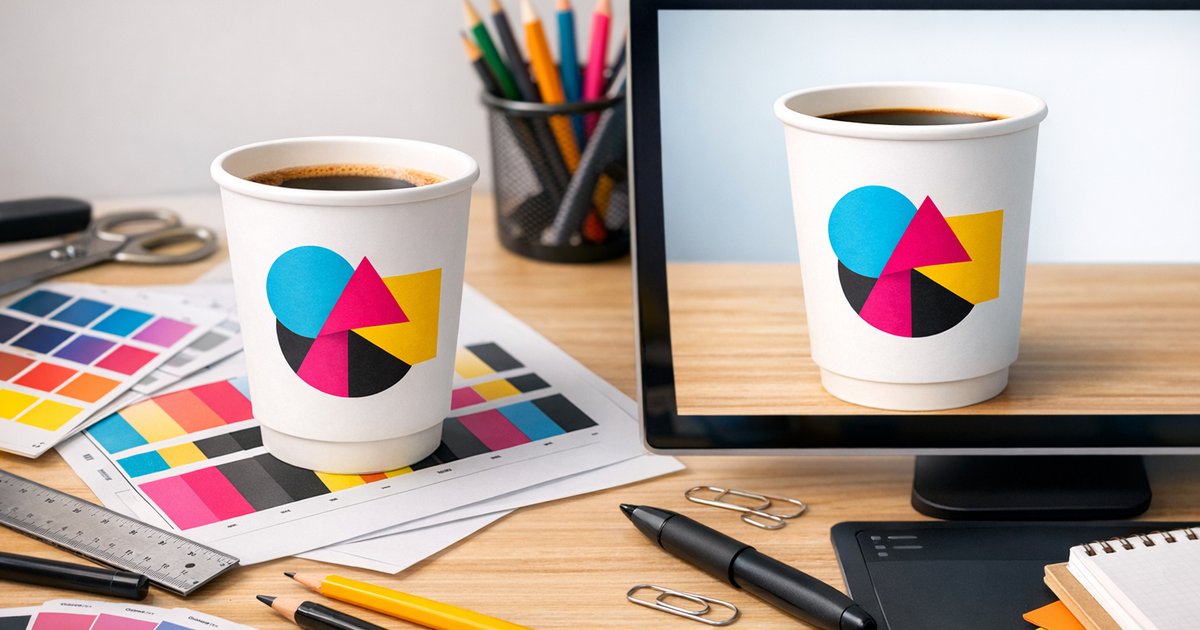
CMYK vs RGB: Why Your Cup colours might look different
Short answer: Screen colours (RGB) usually look brighter and more saturated than print because monitors emit light while printing uses inks (CMYK) with a smaller gamut. To avoid surprises with CMYK printing coffee cups, design in CMYK (or convert and proof), avoid neon tones and request a physical proof or sample before ordering.
Why on‑screen colours and printed cup colours differ
Monitors create colour by mixing red, green and blue light (RGB). Printing uses cyan, magenta, yellow and black inks (CMYK) on a physical substrate (paperboard, coatings and cup liner). Because print reflects light rather than emits it, very bright or fluorescent RGB colours (neons, electric blues, acid greens) will often shift, mute or change hue when printed on coffee cups.
RGB vs CMYK — the quick technical difference
RGB (screens)
RGB is additive: colours are built from light. It’s the native mode for web and digital files and supports a wider gamut and more vivid hues than typical print processes.
CMYK (print)
CMYK is subtractive: inks overlap to absorb/reflect light and produce colour. Standard four‑colour process reproduces most everyday colours, but some saturated RGB tones can’t be matched exactly with the CMYK inks used for cup printing.
Which colours shift most on cups?
- Neon and fluorescent tones — effectively impossible to match with standard CMYK inks.
- Electric blues — may look duller or shift toward teal/purple.
- Vivid greens — can appear more yellow or darker.
- Highly saturated reds — may lose vibrancy or warm slightly.
How to prepare artwork for CMYK printing coffee cups
Preparing files correctly reduces surprises and rework. Use this checklist when preparing artwork for CMYK printing coffee cups:
- Work in CMYK from the start — set your document to CMYK in Illustrator, Photoshop or InDesign so on‑screen previews are closer to print.
- Convert and review — if you start in RGB, convert to CMYK, inspect colours at 100% and tweak shifted hues.
- Pantone/spot colours — use for critical brand matches and discuss Pantone matching with us if absolute accuracy is essential.
- Avoid neons — choose CMYK‑friendly alternatives for predictable results.
- File quality — images at 300 dpi and vector logos (AI/EPS/PDF/SVG) produce the cleanest print on a cup wrap.
We convert files and provide proofing
CustomCoffeeCups.com.au converts every incoming file to CMYK before production and offers digital and physical proofing so you can check for colour shifts on the actual cup substrate. Request a proof or order a sample pack early to save time and cost.
Proofs, Pantone and colour control
Proofing is the most reliable way to check colours before a full run:
- Digital proofs — fast, but dependent on monitor calibration.
- Hard (physical) proofs or sample cups — best: see ink on the actual cup stock and construction (single‑wall, double‑wall or compostable).
- Pantone references — useful for brand matching; remember Pantone→CMYK conversion and substrate differences can still cause minor variation.
Practical tips for predictable cup colour
- Paperboard texture, internal coatings and cup curvature affect perceived colour — view a physical sample where possible.
- Compostable stocks and double‑wall constructions can show slight colour differences compared with single‑wall PE cups.
- Calibrate your monitor and review digital proofs on multiple devices to reduce surprises.
- Allow time and budget for physical proofs or Pantone matching if you need exact brand accuracy.
Minimums and lead times (Australia)
For current prices, see the printed coffee cups page.
Minimum order: 500 cups. Standard turnaround: 10 business days production + 2–3 business days metropolitan freight. Rush: 5–7 business days. Freight is charged at cost and varies by destination and quantity.
Files and design help we provide
We make colour setup easier with:
- Free artwork templates (AI & PSD) for correct cup wrap layout.
- Sample pack — order a sample to see stock and print quality in person: sample pack.
Artwork checklist before you submit
- Set document to CMYK or convert and review carefully.
- Use 300 dpi images and vector logos where possible.
- Avoid neon colours; select CMYK‑safe alternatives.
- Consider Pantone spot colour for absolute brand accuracy.
- Request a physical proof or sample prior to full production.
Summary — minimise surprises with CMYK printing coffee cups
Colours printed on a cup often look different to on‑screen colours because RGB offers a wider, brighter gamut. For consistent results with CMYK printing coffee cups, design in CMYK (or convert and proof), avoid neons, consider Pantone for critical brand colours and request a physical proof or sample. We convert all files to CMYK before printing and provide free templates to make the process straightforward.
If you’d like to see your brand on a cup, order a sample pack or visit our custom printed coffee cups product page to upload artwork and request a proof. For a deeper overview of cup types, sustainability and workflows, read our complete buyer’s guide.
Ready to proceed? Head to the product page to upload artwork and request a proof, or contact us to use our design layout service and get a realistic preview before production.