How to design artwork for custom coffee cups (templates included)
Short answer: To design artwork for custom coffee cups, download our free AI/PSD templates, place your graphics inside the template’s wrap‑around print area, include bleed and safe zones, design in CMYK, use raster images at a minimum of 300dpi, and export print‑ready files (AI with Preserve Editing, layered PSD, press PDF or high‑res PNG/JPG). Request a free digital proof or order a sample pack to check colours and stock.
Quick checklist — design artwork for custom coffee cups
- Download the correct template for your cup size and type: AI & PSD templates.
- Work in CMYK and keep photos/textures at 300dpi or higher at final size.
- Respect the template’s wrap‑around print area, bleed and safe zone.
- Use vector artwork for logos and text; embed or outline fonts.
- Save source files (AI with Preserve Editing, layered PSD) and export a high‑res PDF for print.
Where to get the templates
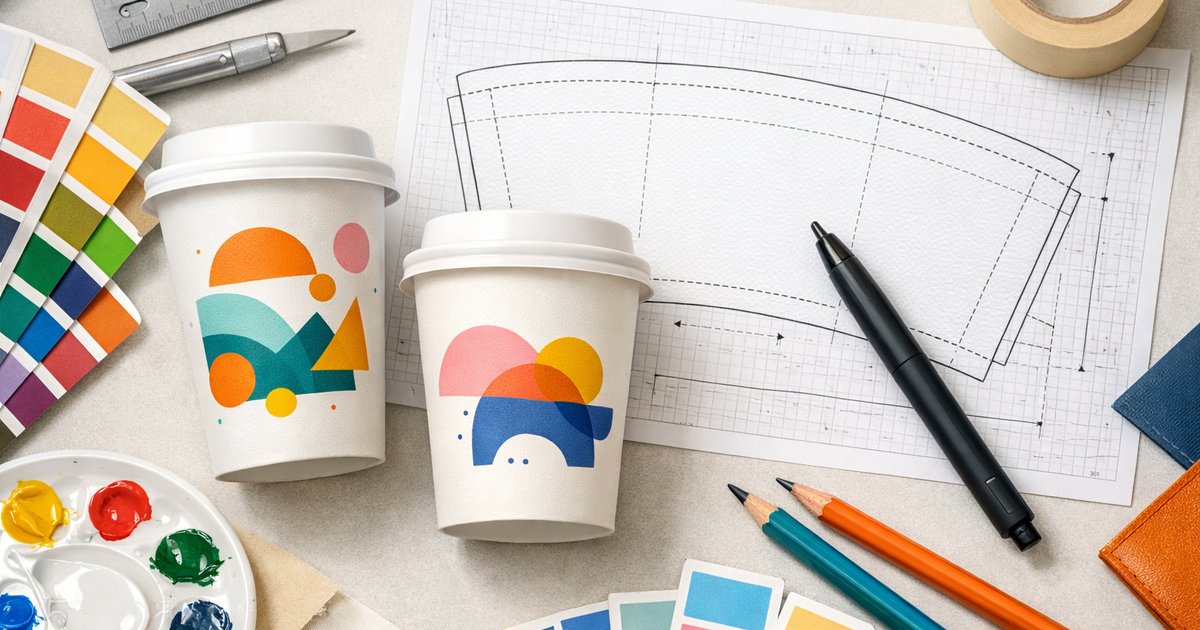
Download our free artwork templates for 8oz, 12oz and 16oz cups (AI & PSD): download templates. Templates include dielines and guides for single‑wall, double‑wall and compostable cup styles — choose the template that matches the cup type you plan to order.
How the template is organised
Each template shows three key zones. Know these before you design so your artwork prints as expected:
Wrap‑around print area
The full width and height that prints around the cup. For continuous designs, extend your main graphics across this area so patterns join neatly at the seam.
Bleed zones
Extend backgrounds and imagery into the bleed area to avoid white edges after trimming. Templates include the exact bleed guides — don’t crop to the trim line.
Safe zone
Keep logos, essential text and critical elements inside the safe zone (inset from the trim/cut line). Anything outside may be trimmed, distorted around the seam or hidden by the cup rim.
Colour, brand colours and CMYK
We print using CMYK process printing — prepare and export files in CMYK to get the most accurate results. Convert RGB to CMYK early and proof colours on screen and in printed samples. Note: very bright RGB colours may not reproduce exactly with CMYK; if you need precise brand matches, tell us early so we can discuss options.
Resolution and artwork quality
Raster images (photos, textures) must be at least 300dpi at final print size. Vector elements (logos, icons, type) scale cleanly — provide EPS/AI/SVG where possible. Avoid scaling up low‑resolution images.
Accepted file formats and saving tips
- AI (Adobe Illustrator) — Preferred for vector files. Save with Preserve Illustrator Editing Capabilities and include linked images.
- PSD (Photoshop) — Keep layers; rasterise text only after layout is approved.
- PDF — Export as high‑resolution / press quality with fonts embedded.
- PNG/JPG — Acceptable if high‑res (300dpi at final size). PNG supports transparency; JPG suits photographic designs.
Name files clearly (e.g. ClientName_12oz_doublewall_AI_v1.ai) and include version numbers. If you supply fonts, either embed them or convert text to outlines — but also keep an editable source file in case we need to make small adjustments.
Export checklist before upload
- Artwork placed on the correct template for cup size and type.
- Backgrounds and images extended into the bleed.
- Main content inside the safe zone; nothing critical near the seam or lip.
- All images 300dpi or above at final size.
- All colours converted to CMYK.
- Fonts embedded or outlined (or include font files in a ZIP).
- File saved in recommended format (AI with Preserve Editing, layered PSD, press PDF or high‑res PNG/JPG).
Common design pitfalls and how to avoid them
- Small text on curved areas — increase size and weight and keep it inside the safe zone.
- Using web‑resolution logos — request vector files (EPS/AI/SVG) or recreate as vectors.
- Designs too close to the seam or rim — follow the template safe zone strictly.
- Designing in RGB — always convert and proof in CMYK before submitting files.
Need help? Design layout service
If you only have a logo or a simple brief, use our design layout service — our team will place your artwork into the correct template and supply print‑ready files. Start an order or ask about design help on the product page: custom printed coffee cups. Upload your assets with the order and we’ll prepare a layout for your approval.
Production details — what to plan for
Keep these production details in mind when you design and order — they affect timing, cost and template choice.
| Minimum order | 500 cups |
|---|---|
| Cup types | Single‑wall (PE), Double‑wall (PE) and Compostable (PLA/CPLA) |
| Sizes | 8oz, 12oz, 16oz (16oz is single‑wall only) |
| Standard turnaround | 10 business days production + 2–3 days metro freight |
| Rush option | 5–7 business days |
| Complimentary services | free templates available |
Proofing and samples
We provide a digital print proof for approval before production. To check colours, stock and finish in real life you can order a printed sample or request our sample pack: order a sample pack. For full ordering details and material guidance, see our buyer’s guide: Custom printed coffee cups — Australia guide.
Final tips for better results
- Design with the cup shape in mind — vertical elements curve around the cup; test on the template before finalising.
- Keep essential information inside a flat panel area if you need it to be clearly legible.
- Test colours in CMYK and allow for slight variation depending on stock and printing process.
- Use our free templates if you’re unsure — they save time and avoid common mistakes.
Ready to design artwork for custom coffee cups? Download the free templates (template download), place an order and request a design layout on the product page: custom printed coffee cups. Prefer to check finishes first? Order a sample pack: sample pack.
Need help with your files? Our pre‑press team will check supplied artwork and contact you if any changes are needed before printing — upload your files when you place your order or contact us via the product page.